Home
Products
About
Solutions
Resources Contact Get Your Quote
2.4G Active RFID Yard & Asset Tracking

Yards · Personnel · Assets · 2.4 GHz Active RFID

Your Yard Is Too Big for a Handheld.

2.4G Active RFID Yard & Asset Tracking

Battery and solar-powered 2.4 GHz tags that readers pick up from 50 to 200 m, for vehicles, plant, containers and people on open sites.

  • Trailers and plant lost on the yard
  • Muster counts on paper
  • No power at the asset
50-200 mReader range on open ground
200 km/hVehicle speed at the gate reader
±0.5 °CPhotovoltaic temperature tag

Catalogue specifications for open ground. Range drops between containers, steel structures and dense stock.

Plan your project

Pain points on site

Where the operation loses time, stock or control

Before the pilot, this is the starting point most operations recognise.

01

Nobody knows which trailers and plant are on site

Yards and depots rely on walk-rounds and radio calls to find equipment, so assets are hired twice or left idle.

02

Muster counts come from a sign-in sheet

In an emergency the roll call depends on a paper list that is never quite current.

03

Outdoor assets have no power for a tracker

Bins, trailers and containers sit outside with no power supply, so a tracker that needs charging is never charged.

04

Equipment returns are disputed

Hired plant and vehicles come back without a record of when they left and returned, so charges are argued.

05

Contractor plant comes and goes unrecorded

Contractor vehicles and equipment enter and leave through the gate without a log, so nobody knows what is on site overnight.

06

Stock waiting outdoors has no temperature record

Goods staged in yards and loading areas sit outside a monitored room, and a temperature problem is only found on delivery.

How the solution works

From a tagged item to a traceable record

Asset system ⇄ readers Presence by zone, updated with every beacon
Asset missing Low battery Temperature Not mustered

System rollout

From site plan to a live yard

Twelve steps in the order an outdoor site goes through them, with who does each one and how long it usually takes. Poles, cabling and the number of zones move the date most.

4-6 weeksOne gate and one yard zone
2-3 monthsWhole site, zones, alarms and system integration

Who does it:FYRFIDYour IT or integratorYour site team

Plan

01 Set the scope and measure the baselineDecide what you track and what each read should trigger. 1-2 weeksYour site teamFYRFID
  • Choose what to track: vehicles, mobile plant, parked assets, people, temperature-sensitive stock
  • Decide what each read drives: a gate log, zone presence, a muster count or an alarm
  • Measure today: time for a yard check, assets lost per year, time to complete a muster count
  • Agree the pass marks for the pilot

You getScope note, baseline figures and pilot pass marks.

02 Survey the site planMark every gate, zone and assembly point, and what stands between them. 1-2 weeksFYRFIDYour site team
  • Gates and checkpoints, lane widths and vehicle speeds
  • Zones to tell apart, and the container stacks, steel buildings and parked fleets between them
  • Candidate reader positions with power, network and a mounting point above vehicle height
  • Lightning exposure on open poles

You getSite plan with zones, gates and candidate reader positions.

03 Walk-test with sample tagsMeasure real range on your ground before any pole goes up. About 1 weekFYRFIDYour site team
  • Carry sample tags around every zone with one temporary reader
  • Mark dead spots between containers and behind buildings
  • Check solar tags under your real light, including shaded corners

You getMeasured range per zone and the dead spots marked on the plan.

Common mistakePlacing readers from the catalogue range alone. Open-ground figures do not hold between steel stacks.

04 Design zones, intervals and alarmsTurn the walk-test into a reader layout and tag settings. 1-2 weeksFYRFIDYour IT or integrator
  • Reader positions per zone and gate, and how overlaps are resolved
  • Transmit interval per tag type, and the battery life it gives
  • Alarm rules: tamper, low battery, temperature, a tag leaving a zone
  • Network links back to the system: Ethernet, RS232 or RS485

You getLayout drawing, tag settings and alarm rules.

Build

05 Build the software and interfacesFYRFID supplies reader SDKs and demo software; the yard, asset or safety system side is built by your IT team or integrator. 2-6 weeks, alongside productionYour IT or integratorFYRFID
  • Middleware: zone logic, read smoothing and alarms
  • Interface to the yard, asset or safety system
  • A live muster count screen for assembly points

You getA working test system.

06 Produce tags and order hardwareTag types and quantities come from the scope and the walk-test. 2-4 weeks lead timeFYRFID
  • Replaceable-battery tags for vehicles and badges, solar tags for parked assets, temperature tags for stock
  • Gate readers and long-range readers
  • Brackets, surge protection and weatherproof connectors

You getTags configured to the agreed intervals, and the hardware on site.

07 Install readersPoles, power, network and protection. 1-3 weeks, depends on poles and cablingYour IT or integratorYour site team
  • Mount readers above vehicle height with a clear view of their zone
  • Fit surge protection on power and data lines, and earth every pole
  • Seal every outdoor connector

You getInstalled and protected read points.

Common mistakeReaders mounted low on a wall, where every parked truck becomes a shadow.

08 Fit tags and bind themEvery tag is linked to the vehicle, asset or person it is on. Depends on numbersYour site team
  • Fit tags in the agreed position on each vehicle and asset type
  • Issue badges to staff and contractors
  • Bind each tag ID to its record, and photograph the fitting position

You getTagged fleet, assets and staff, all bound in the system.

09 Commission and tuneZones and gates tuned with real vehicles and people. 3-7 daysYour IT or integratorFYRFID
  • Signal thresholds per reader, smoothing windows and minimum dwell before a zone change
  • Gate direction logic, tested with vehicles at real speed
  • Alarm thresholds tested end to end

You getA commissioning record for every reader.

Go live

10 Pilot one gate and one zoneCompare the system with the manual gate log and yard check. 2-4 weeksYour site teamYour IT or integratorFYRFID
  • Run one gate and one zone alongside the current process
  • Give every difference a cause: no tag, flat battery, dead spot, missed read or system fault
  • Review weekly and accept against the pass marks

You getPilot report and a go or no-go for the rollout.

11 Extend zones and connect alarmsThe rest of the site goes live in waves. Zone by zoneYour site teamYour IT or integrator
  • Add readers zone by zone, commissioning each the same way
  • Route alarms to the people who act on them

You getThe whole site live.

Run

12 Keep it runningBatteries, readers and site changes. OngoingYour site teamFYRFID
  • Replace batteries on the schedule worked out from the transmit interval; act on low-battery alarms
  • Alert when a reader stops reporting
  • Re-check range when new container stacks or buildings appear
  • Compare yard-check time, losses and muster time with the baseline

You getAcceptance report and a maintenance plan.

Tags & hardware

Which tag for each thing you track, and what reads it

One row for each thing you track. Figures are catalogue values for open ground; containers, steel and dense stock shorten the range.

What you tagTag typeSizeRead rangeWhat it doesRead by

Vehicles and mobile plant

Trucks, forklifts, trailers

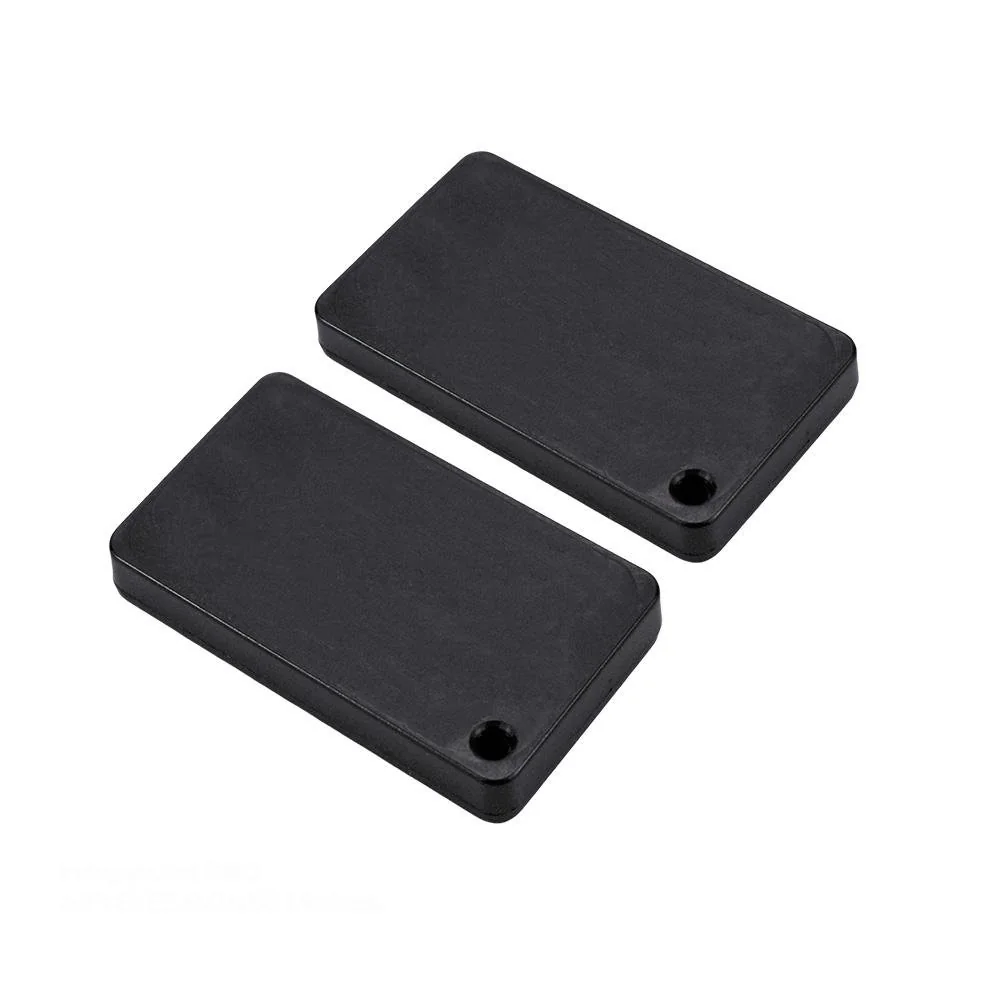
54×34×6 mm
50-200 m, reader dependent
Transmits on its own, so it is logged at gates and in yard zones without anyone scanning.

Parked assets without power

Containers, generators, tool stores

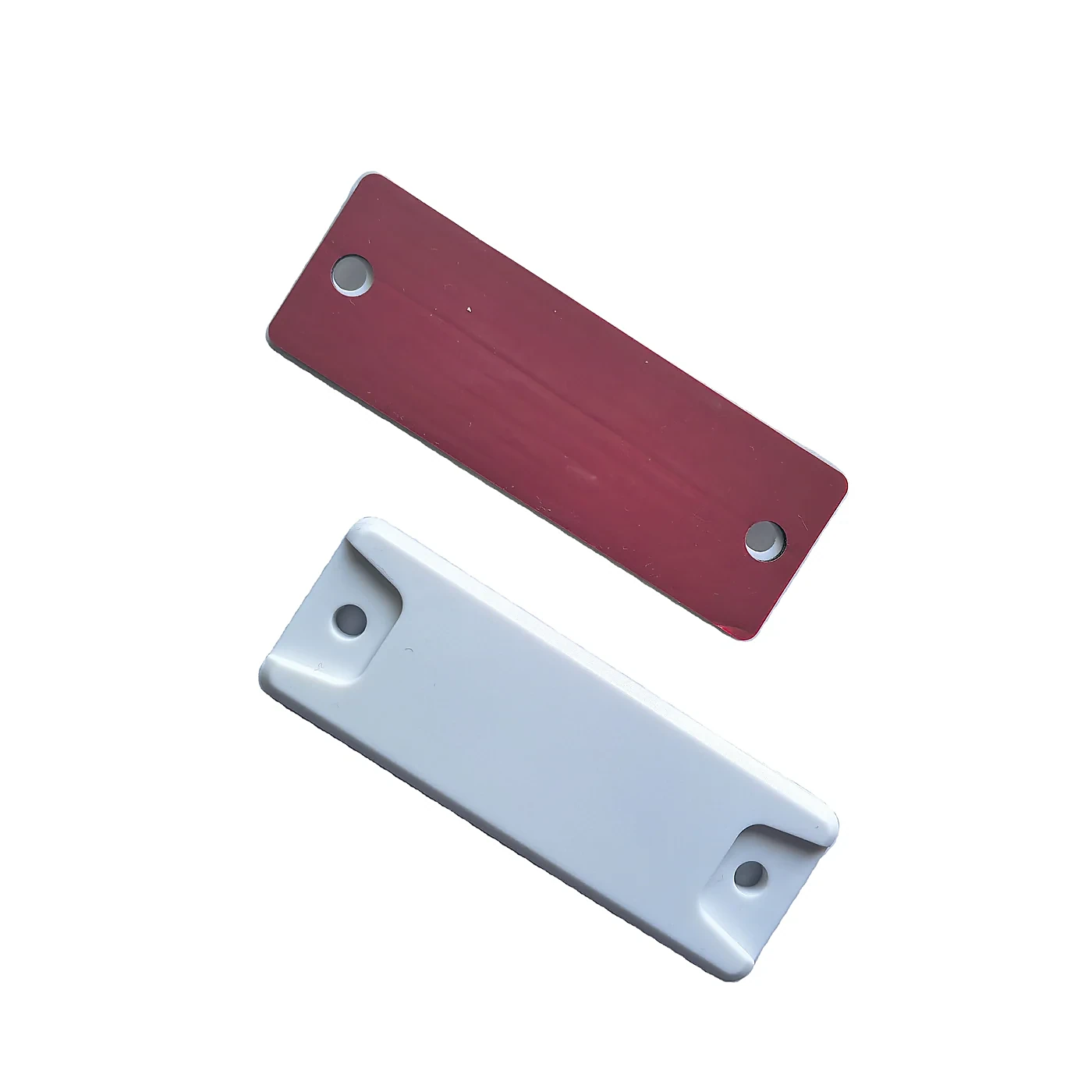
54×30×12 mm
Over 100 m in the open
Solar charged, runs 15 h in full darkness, and raises a low-battery alarm.

Temperature-sensitive stock

Reefer loads, chemicals, outdoor stores

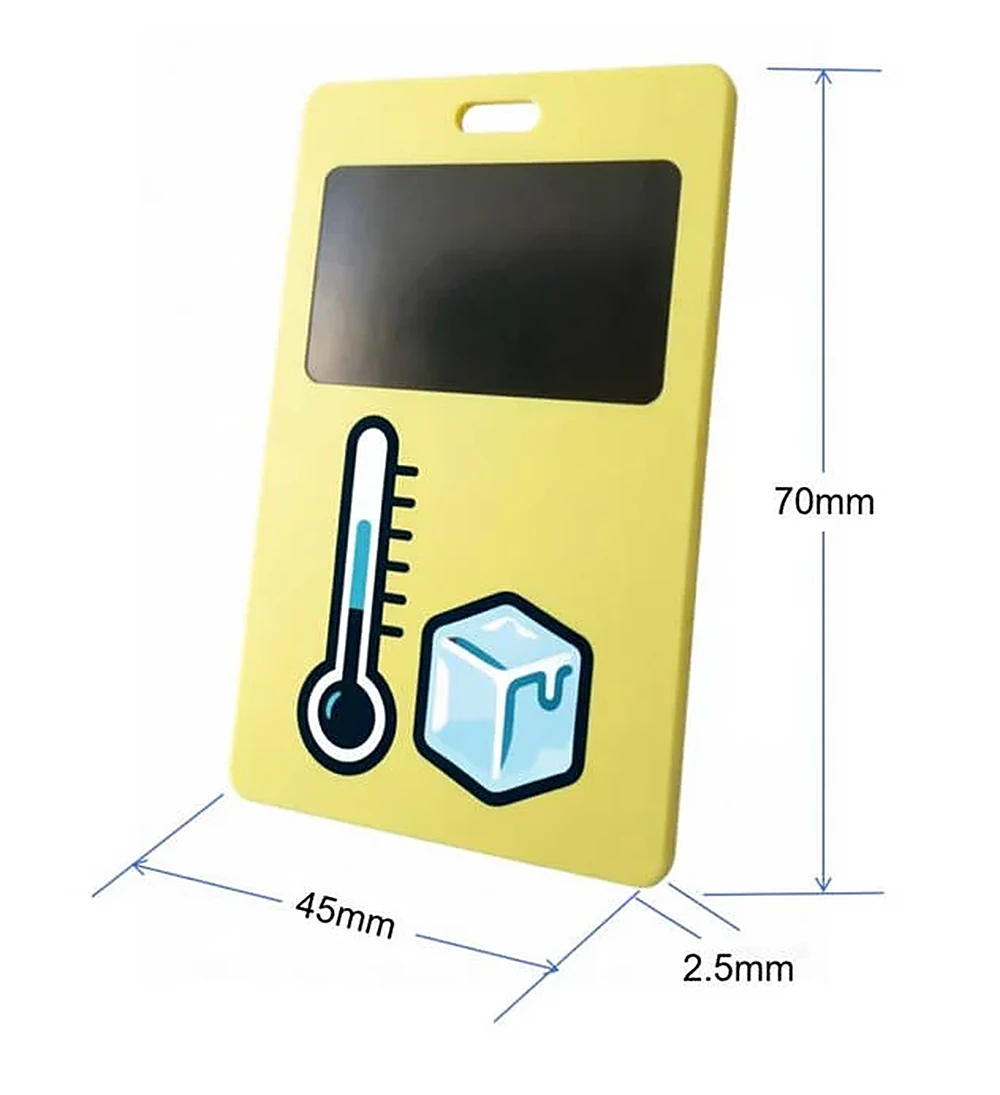
70×45×2.5 mm
0-200 m
Sends a temperature reading (±0.5 °C) with every transmission. Tamper and low-battery alarms.

People on site

Staff, contractors, visitors

54×34×6 mm
50-100 m at the gate reader
Lanyard badge that logs entry, exit and arrival at each assembly point.

The readers

2.4 GHz gate reader

Site gates, checkpoints and assembly points

Integrated 2.45 GHz reader, over 100 m in open ground; RS232, TCP/IP or Wi-Fi. Vehicles pass without stopping.
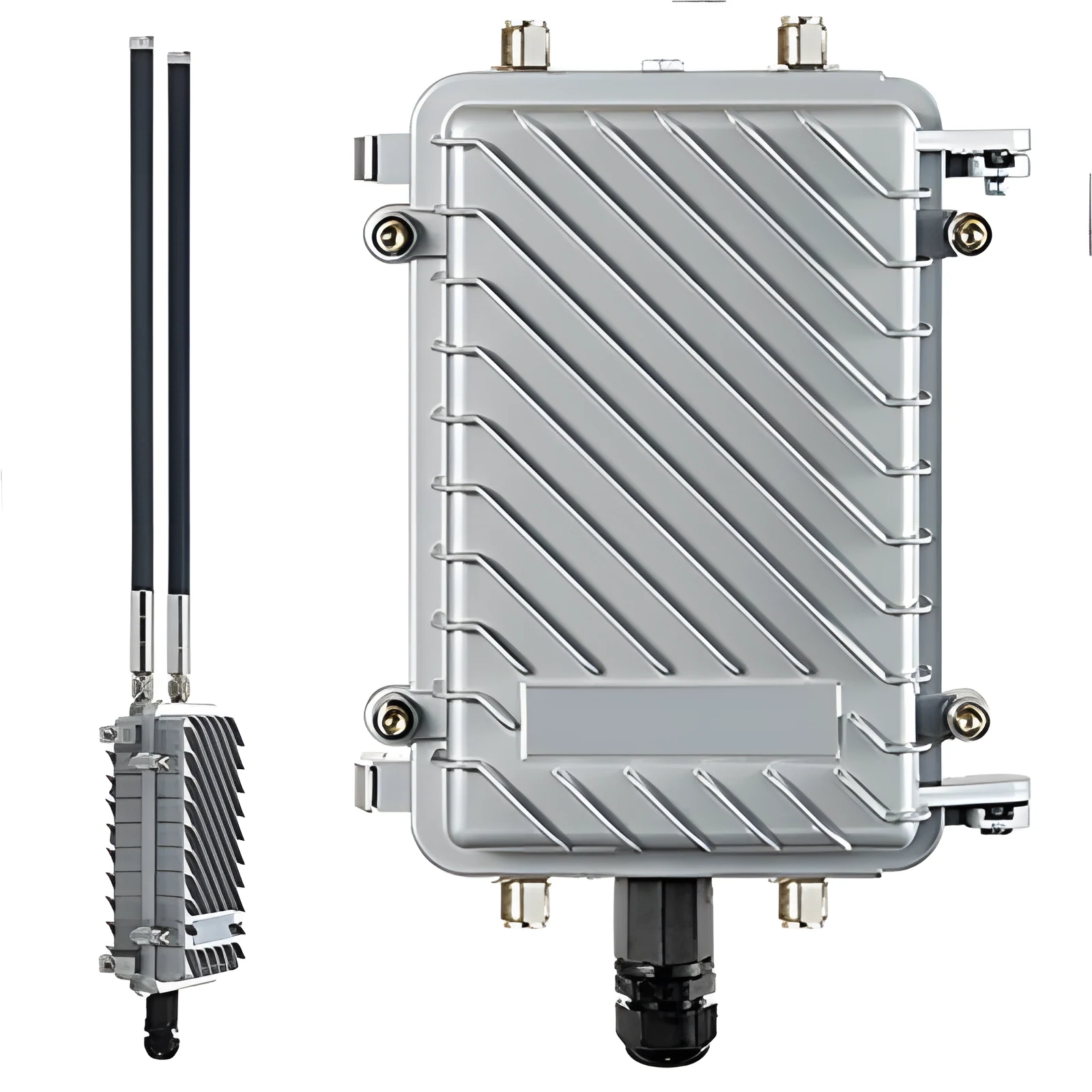
Long-range 2.4 GHz reader

On poles or walls over yard zones

Up to 200 m. Ethernet, RS232 or RS485; DC 12-24 V; -40 to +85 °C.

Before we quote

Four answers decide the specification

Pick what matches your site. Each answer shows what it calls for, and the summary goes to our engineers with your enquiry.

1What needs tracking?

2How big is the area?

3What is around the tags?

4How many tags?

Before a volume order

Five checks before you order active tags in volume

Each one is cheap to settle with a few sample tags and expensive to fix once the site is tagged.

01Walk-test the range on your own site

Reader Containers Tag in the open ? Shadow: tag missed

What goes wrong

Container stacks and steel buildings cut range sharply. Readers placed from the catalogue figure leave dead zones that only show up after go-live.

Check before you order

  • Sample tags carried around every zone with one reader
  • Dead spots marked on the site plan
  • Reader height and position confirmed before poles go up

02Choose the transmit interval before ordering

Longer battery life Longer transmit interval Vehicles at a gate short interval, shorter life Parked assets long interval, longer life

What goes wrong

A tag that transmits every second to catch vehicles at speed drains far sooner than one reporting a parked asset every minute.

Check before you order

  • Interval per tag type: vehicles, assets, people
  • Battery life calculated for that interval before the quote
  • A battery replacement schedule and spares

03Decide how overlapping zones are resolved

Reader A Reader B Tag weaker stronger Assigned to Reader B: strongest over the last few reads

What goes wrong

Without overlap rules, a tag between two zones flickers back and forth, and every report shows it moving.

Check before you order

  • Zone boundaries drawn on the site plan
  • Strongest-signal rule over a short time window
  • Minimum dwell time before a zone change

04Sign off sample tags in your conditions

Signed-off sample battery · housing · mounting Batch 1 Batch 2 Batch 3 same construction, every order

What goes wrong

Tags approved on a desk meet cold nights, shade and vibration for the first time in the field.

Check before you order

  • Solar tags charged under your real light, including shaded spots
  • Operating temperature (-20 to +60 °C) checked against your climate
  • Mounting method approved on each vehicle and asset type

05Mount readers high and protect them

Height Vehicle Surge protection on power and data Earth Above vehicle height clear view of the zone

What goes wrong

Readers mounted low lose range behind parked vehicles; unprotected poles can lose a reader in the first storm.

Check before you order

  • Mounting above vehicle height, facing the zone
  • Surge protection on power and data lines
  • Earthing and weatherproof connectors on every pole

Choosing the technology

When is 2.4 GHz active RFID the right choice instead of UHF?

Use UHF passive tags when items pass a fixed point within a few metres: a dock door, a conveyor, a handheld in an aisle. Use 2.4 GHz active tags when things move across open ground and you need to know which zone they are in, or when vehicles pass a gate at speed. Active tags cost more and carry a battery or solar cell; in return they are read from 50 to 200 m.

Does active RFID give an exact position?

No. A 2.4 GHz reader reports which tags it hears and how strongly, which tells you the zone a tag is in, not its coordinates. For position inside a building, UWB with fixed anchors is the usual method, and its accuracy depends on the anchor layout. For assets moving between sites, use GPS trackers. We say which fits once we have seen the site plan.

How many readers does a yard need?

Count the zones you need to tell apart, not the square metres. One reader can cover a zone up to its read range on open ground, but containers, steel buildings and parked trucks cut that down. We plan from a site plan and confirm with a test tag carried around the site before reader positions are fixed.

What is the difference between active and passive RFID?

A passive tag has no battery: it answers only when a reader powers it, from centimetres to about 10 m. A 2.4 GHz active tag has its own battery or solar cell and beacons by itself, so it is heard from 50 to 200 m. Active suits yards and people on site; passive suits items handled at a door or desk.

Tags and power

How long does a tag run?

It depends on how often the tag transmits and on temperature. From the catalogue: the photovoltaic temperature tag lists a 5-year lifetime and 60 days in full darkness on a full charge, and the photovoltaic electronic tag runs 15 hours in full darkness. For the replaceable-battery tag we calculate battery life for your transmit interval before quoting. Photovoltaic tags raise a low-battery alarm.

Where should the tag go on a vehicle or asset?

Mount it with a clear path to the readers:

  • On vehicles, inside the windscreen or on the cab roof, not inside a steel body
  • On containers and equipment, on the side facing the nearest reader, as high as practical
  • Solar tags need daylight on the panel for part of each day
  • Keep tags off hot surfaces such as engine covers; they are rated -20 to +60 °C
Can people wear the tags?

Yes. The badge-format active tag has a lanyard slot and a replaceable battery. It records presence at gates and assembly points; it is not a lone-worker alarm. If you need an SOS button or an indoor position, ask about UWB worker cards.

Installation and integration

What does each reader need at its mounting point?

A DC 12-24 V supply and a network link, usually Ethernet, with RS232 or RS485 on the long-range reader. Mount readers above vehicle height on a pole or wall with a clear view of the zone. Outdoor poles need lightning and surge protection on both the power and data lines.

How do reads get into our system?

Readers report tag ID, signal strength and time. Middleware applies zone rules and dwell times, raises alarms for tamper, low battery or temperature, and passes presence events to your yard, asset or safety system through its API.

Troubleshooting

A tag keeps dropping in and out of a zone.

Signals fade as vehicles and containers move around the tag. Do not change a tag’s zone on a single read: require several reads over a short window, and use signal strength to decide between zones. If a whole area drops out, raise the reader or add one.

Two readers report the same tag.

That is expected where zones overlap. Middleware assigns the tag to the reader that hears it strongest over the last few reads. Tune each reader’s signal threshold so a zone ends where you want it to.

Reads stop from one part of the site.

Check the reader first: power, network link and its heartbeat in the middleware. Then check what changed on site; a new container stack or building often blocks a zone. Set the middleware to alert when a reader stops reporting.

Build a matched pilot

Send the item, environment, read point and annual volume.

We will narrow the construction and sample set around your real operating conditions.

Stay Updated on RFID Industry Trends

Get the latest news, case studies, and product updates from FYRFID delivered to your inbox. No spam — unsubscribe any time.

Thanks for subscribing — we’ll be in touch.