Home Products About Solutions Resources Contact Get Your Quote
RFID Warehouse & Inventory Tracking

Warehouse & Logistics · IP67 Industrial

Your Dock Team Still Scans Every Box Manually.

RFID Warehouse & Inventory Tracking

Hands-free pallet receipt at dock doors, rack reads and location identity across cartons, metal shelving and returnable totes.

  • Weak reads on metal shelving
  • Mixed-surface environments
  • Harsh-environment survival
0-7 mPallet tag read range
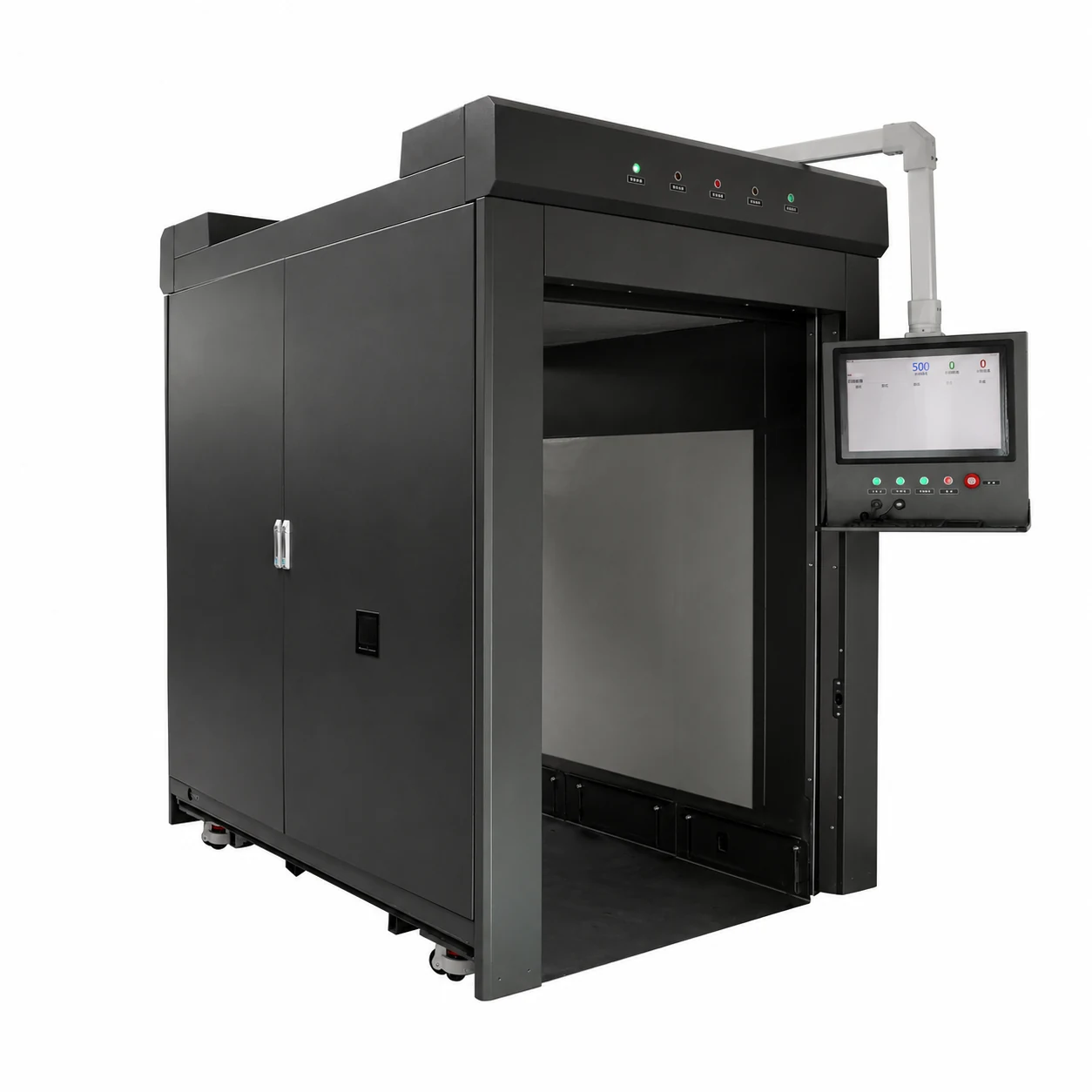
600+Tags per outbound tunnel pass
3-5 sCarton read at the tunnel

Catalogue specifications. Read range depends on the reader, antenna, mounting surface and tag orientation.

Plan your project
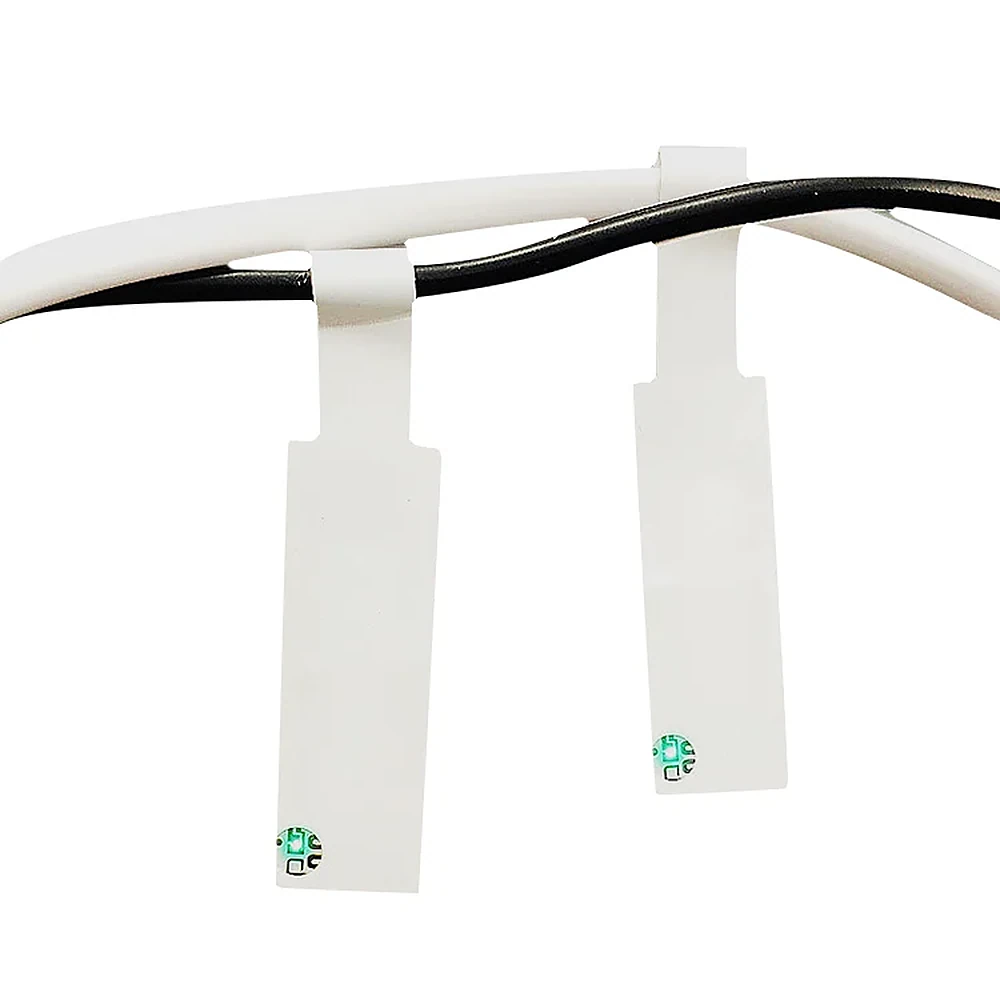
Project case UHF on-metal tags on crane rigging gear Site test: shackles, chains and lifting gear read with a handheld reader.

Pain points on site

Where the operation loses time, stock or control

Before the pilot, this is the starting point most operations recognise.

01

Chaos in and out

People move goods in and out all shift, but the record of who handled what, and when, is built from memory and paperwork.

02

Reports lag reality

The inventory report describes the shelf as it was days ago. By the time it reaches a decision, the shelf has already moved on.

03

Attributes go unrecorded

Batch, specification and condition never get captured the same way twice, so nobody fully trusts the master record.

04

Slotting is invisible

The stock is somewhere on the rack. Finding it still means walking the aisle and looking with your own eyes.

05

Book drifts from physical

Between counts, the system figure and the real count quietly separate, and nobody can say by how much until the next shutdown.

06

The annual stocktake shuts the building down

Counting by barcode means line-of-sight on every carton. Most operations can only afford it once or twice a year, so the book figure drifts for eleven months at a time.

07

Goods leave on the wrong truck

Dock loading verified by a person reading labels will always have an error rate. The cost lands later as a customer shortage claim and an emergency reship.

08

Nobody can find the returnable containers

Totes, cages and pallets are assets that walk. Without identity on the container itself, shrinkage stays invisible until the replacement order arrives.

How the solution works
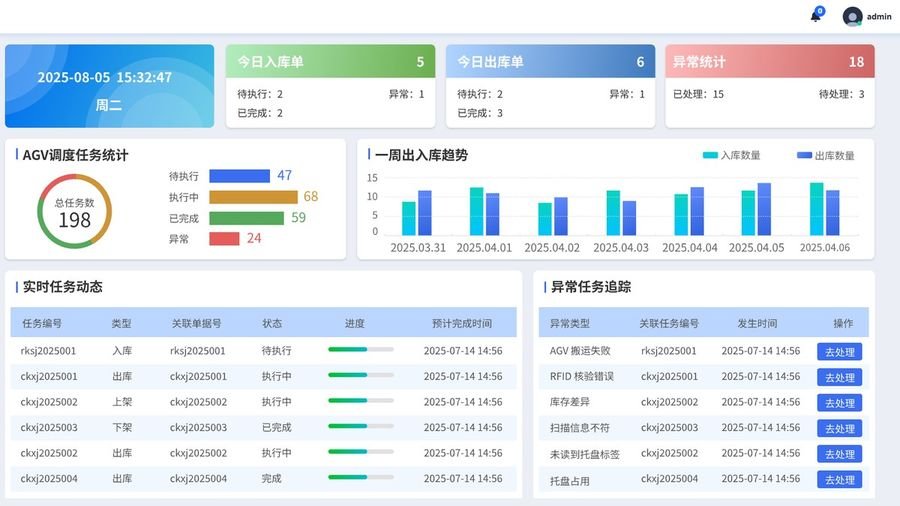
From a tagged item to a traceable record

RFID WMS ⇄ ERP dashboard RFID WMS ⇄ ERP Live dashboard: receiving, outbound, AGV tasks and exception alerts
In/out mismatch Location alert Shortage / overdue Device alert

System rollout

From site survey to a running system

Thirteen steps in the order a warehouse goes through them, with who does each one and how long it usually takes. The WMS integration and the amount of stock already in the building move the date most.

6-8 weeksDock doors and handheld counting
3-4 monthsWhole site, WMS integration and existing stock tagged

Who does it:FYRFIDYour IT or integratorYour warehouse team

Plan

01 Set the scope and measure the baselineDecide what goes first and record today’s numbers, so the result can be proven later. 1-2 weeksYour warehouse teamFYRFID
  • Pick one or two processes to start with: receiving, put-away, cycle counting, dispatch check, transfers or returns
  • Choose the tag level for each product class: item, carton, pallet or returnable container
  • Measure today: inventory accuracy, labour hours per full count, minutes per pallet received, dispatch error rate
  • Agree the pass marks for the pilot, for example the read rate required at a dock door

You getScope note, baseline figures and pilot pass marks.

Common mistakeTagging everything at item level from day one. Start where the losses are.

02 Survey the siteFollow the goods from truck to rack to truck, and check every read point in person. 1-2 weeksFYRFIDYour warehouse teamYour IT or integrator
  • Follow the flow and note every handoff, every scan and every paper form
  • Sort SKUs by packaging: cardboard, plastic, metal, liquid, frozen; cartons per pallet; carton sizes
  • Measure dock doors, door spacing and door material, ceiling height, racking material, aisle widths and forklift routes
  • Check power, network and a mounting point at each read point, and Wi-Fi coverage between the steel racks
  • List other radio sources on site: Wi-Fi, AGVs, other readers
  • Record the WMS and ERP, their versions, the interfaces they offer and who maintains them

You getSurvey report with read points marked on the floor plan, a process map, an SKU packaging matrix and an interface list.

Common mistakeDesigning from the floor plan alone. Metal doors and racking only show up on site.

03 Design tags, encoding, read points and softwareTurn the survey into a design that can be priced, built and tested. 1-3 weeksFYRFIDYour IT or integrator
  • Tag type for each packaging class: size, face stock, adhesive (cold-rated where needed), barcode and human-readable print
  • Encoding rules: GS1 (SSCC, SGTIN, GRAI, GIAI) or private numbering, how each EPC maps to barcode, SKU and location codes, and whether the EPC is locked
  • Each read point: reader, number and position of antennas, trigger (photo-eye, loop or barrier), direction logic, lights or screens for operators
  • Middleware rules that turn reads into transactions, and the WMS transactions to connect
  • Handheld app functions: receiving, location binding, counting, search, dispatch check
  • Network and power: PoE switches, cable routes, UPS

You getDesign document, bill of materials, mounting drawings, interface specification, plan and budget.

04 Test samples on your own goodsProve the tags and the read zone on real products before anything is ordered in volume. 1-2 weeks, alongside designFYRFIDYour warehouse team
  • Tag every packaging class, including the hardest: metal, liquid and tightly stacked cartons
  • Measure read range, sensitivity to orientation, and reads through a full pallet
  • Put a temporary reader on one dock door: map the read zone, and check reads from the next door and from staged pallets
  • Run the chosen label stock on your printer model: encoding speed and void rate

You getTest report with read rates per product class, final tag specifications, and the list of SKUs that stay on barcode.

Common mistakeTesting empty boxes on a desk.

Build

05 Build the software and the WMS interfaceFYRFID supplies reader SDKs and demo software; the WMS side is built by your IT team or integrator. 2-6 weeks, alongside productionYour IT or integratorFYRFID
  • Configure the middleware: duplicate filtering, event rules and the exception alerts (shortage, wrong location, in/out mismatch)
  • Build the WMS interface for the agreed transactions and set up the handheld app
  • Prepare master data: location codes matched to location tags, the SKU master, label templates
  • Test end to end with simulated reads before anything goes on site

You getA working test system and an interface test record.

06 Produce tags and order hardwareQuantities come from the survey, not from a guess. 2-4 weeks lead timeFYRFID
  • Location tags: one per location, plus 5-10% spare
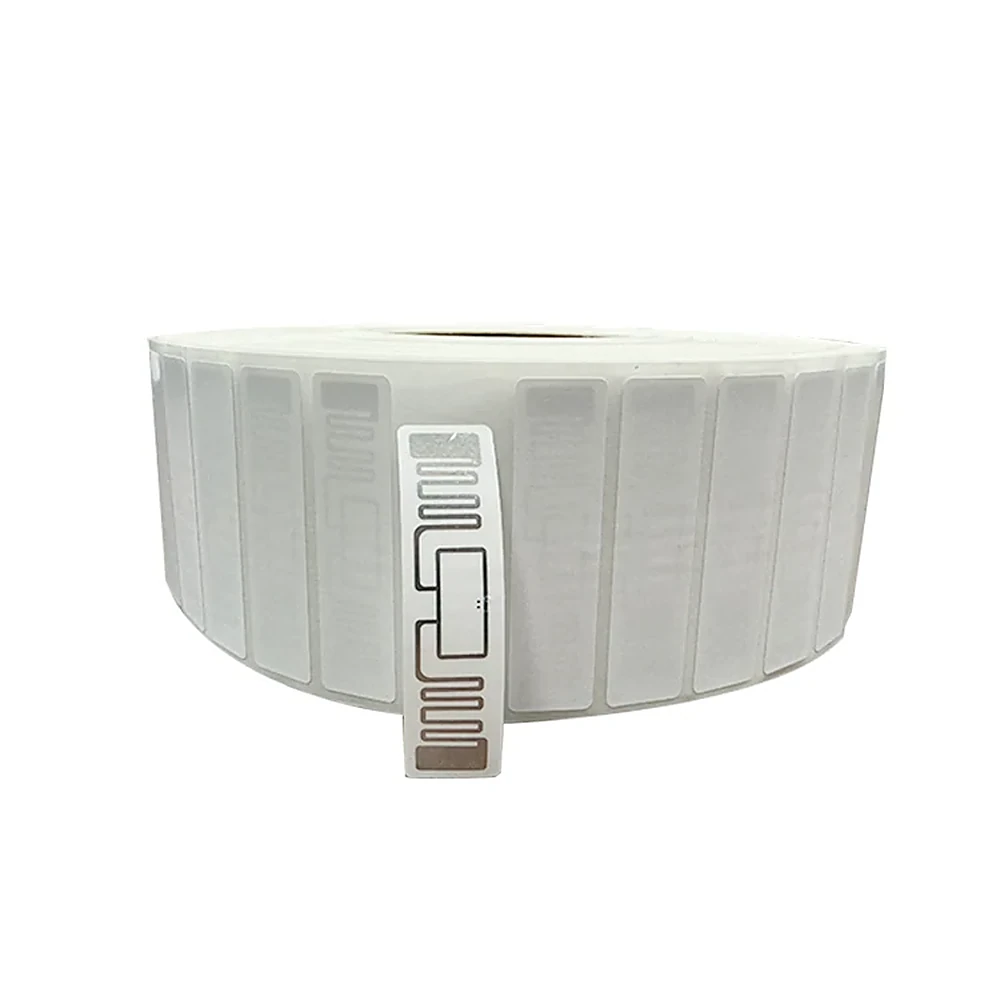
  • Labels for stock already in the building: current stock plus about 10%; then monthly consumables based on dispatch volume
  • Optional factory pre-encoding: EPCs written and human-readable codes printed to your number list, delivered with a data file
  • Readers, antennas, brackets, cables, PoE switches, printers, handhelds, trigger sensors and indicator lights

You getEncoded tags with their data file, and the hardware on site.

07 InstallCabling, mounting and fitting the location tags. 2-3 days per 2 doors; 1-3 weeks whole siteYour IT or integratorYour warehouse team
  • Run network and power to each read point, and keep antenna cables short
  • Mount antennas on door frames or stands at the designed height and angle, put readers in enclosures, fit sensors and lights
  • Set up printers at the receiving and packing stations
  • Fix location tags in the same place on every beam, clear of the forks; read each one with a handheld as it goes on and bind it to its location code

You getInstalled read points, and location tags bound and photographed.

Common mistakeTags on the back or side of a beam, or where the forks strike.

08 Commission and tuneEach read point is tuned with real loads until it meets the pass marks. 3-7 daysYour IT or integratorFYRFID
  • Per read point: antenna power, session and target settings, dense-reader mode, signal-strength threshold, trigger timing, direction logic
  • Drive real loads through at real forklift speed until missed reads and cross-reads meet the pass marks
  • Set handheld profiles: high power for counting, low power for searching
  • Write down every final setting for maintenance

You getA commissioning record for every read point.

Go live

09 Tag existing stock and set the opening balanceUsually the biggest labour item in the project. Depends on stock volumeYour warehouse team
  • Label all stock already in the building and bind each EPC to its SKU, batch and quantity
  • Count physically at the same time: the opening RFID balance must be the real count, not the old book figure
  • Work zone by zone, on night shifts or closed days
  • Time a trial on two or three pallets first, and plan staffing from it

You getTagged stock and an opening balance taken from a physical count.

Common mistakeLoading the old book stock. Every legacy error then shows up as an RFID difference.

10 Train staff and write the SOPsTraining by role, and a written procedure at every workstation. About 1 weekYour warehouse teamYour IT or integrator
  • Receivers: where the label goes, and how to replace a damaged one
  • Forklift drivers: the route through each portal, with no stopping inside the read zone
  • Counters: handheld speed and distance; supervisors: handling exceptions; IT: watching reader status
  • SOPs for a red light at the portal, an unreadable label, and a packaging test for every new SKU before its first delivery

You getStaff trained by role, SOPs posted at each workstation.

11 Run the pilotOne dock door and one zone, alongside barcode. 2-4 weeksYour warehouse teamYour IT or integratorFYRFID
  • Run one dock door and one zone with RFID while barcode keeps running
  • Compare the RFID results with barcode or manual results every day
  • Give every difference a cause: no tag, damaged tag, missed read, process not followed, or system fault
  • Review every week, and accept against the pass marks from step 1

You getPilot report and a go or no-go decision for the rollout.

12 Cut over and roll outThe remaining doors and zones go live in waves. Zone by zoneYour warehouse teamYour IT or integrator
  • Set a cut-over date, freeze transfers during the switch, and keep barcode as the fallback
  • Add the remaining doors and zones in waves, commissioning each new read point the same way
  • Connect the remaining WMS transactions

You getThe whole site live on RFID.

Run

13 Accept the system and keep it runningProve the result against the baseline, then keep the read rate where it is. OngoingYour warehouse teamFYRFID
  • Compare read rate, inventory accuracy, counting hours and dispatch errors with the baseline from step 1
  • Alert when a reader stops reporting, and keep spare readers, antennas and cables
  • Reorder labels on a schedule, update reader firmware, and audit read rates every quarter
  • Re-tag returns, and test the packaging of every new SKU

You getAcceptance report and a maintenance plan.

Tags & hardware

Which tag for each thing you tag, and what reads it

One row for each thing you tag. Sizes and read ranges are catalogue figures; the range you get depends on the reader, the surface and the tag’s orientation.

What you tagTag typeSizeRead rangeWhat it doesRead by

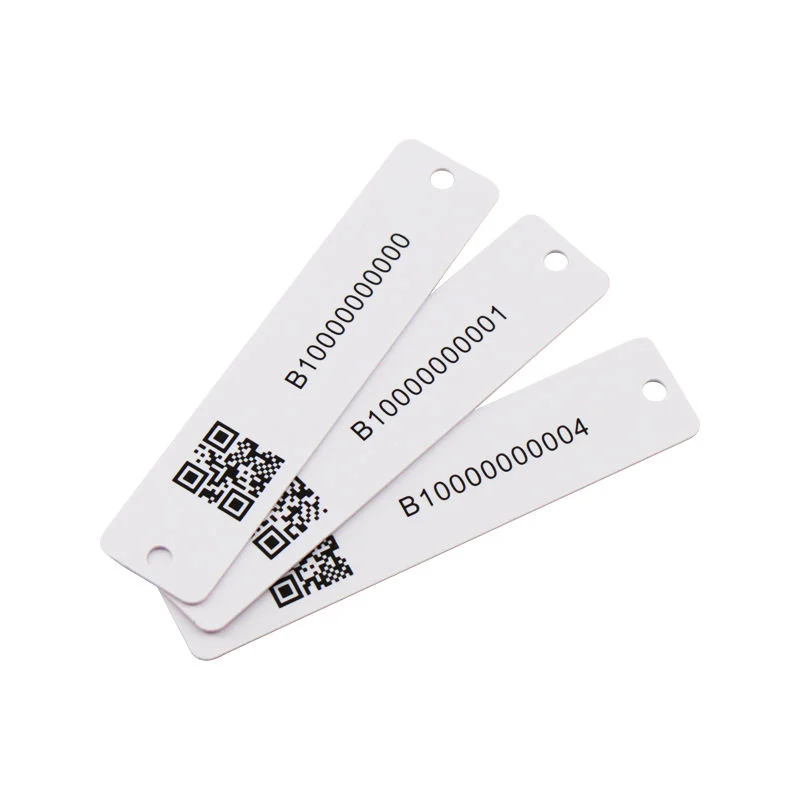
Cartons and cases

Cardboard or plastic film

74×19 mm stock; custom die-cut to order
3-6 m
Carton ID, encoded as the label prints. Read again at the dock, in the tunnel and in the aisle.

Owned pallets

Wood or plastic

84×18, 85×22 or 116×49 mm
0-7 m
Pallet ID for the pallet’s whole life. IP68, -40 to +105 °C.

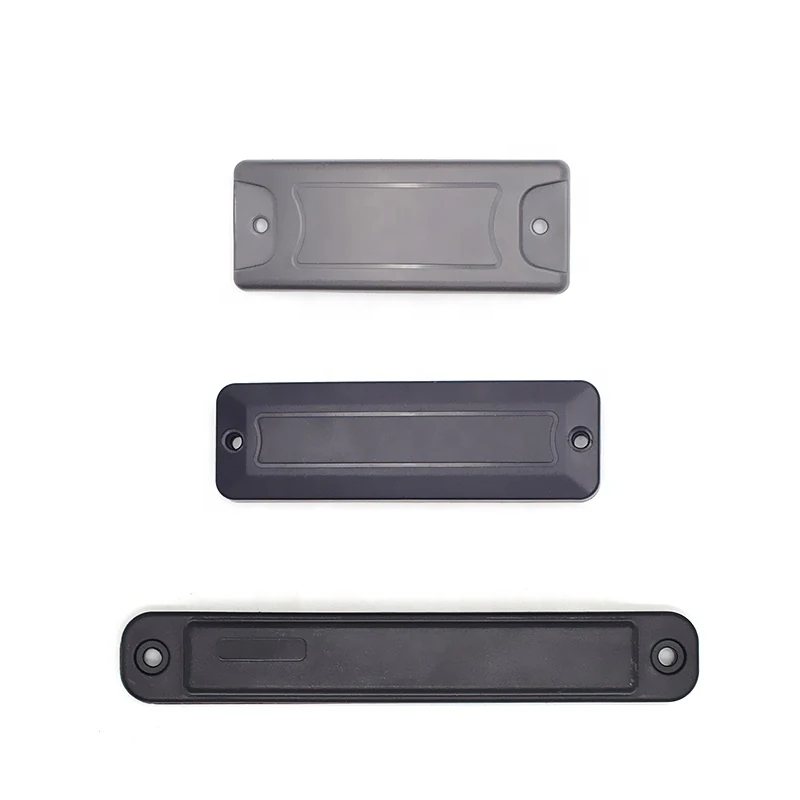
Rack locations

Steel beams and uprights

62×32 to 200×30 mm
Up to 10 m fixed, 6 m handheld, on metal
Gives every bay and level an identity, so put-away is confirmed by a read.

Metal shelving, bins and tools

Flat metal surfaces

70×30, 60×25, 50×25 or 30×15 mm
1-4 m on metal
Thin printable label that reads on metal shelving, bins and tools, where a standard label will not.

Returnable crates and carriers

Washed, stacked, re-used

Compact formats
Up to 10 m
Hard tag, screwed, glued or moulded in. Survives washing and impact; -40 to +200 °C.

Cages, mesh and handles

Nothing flat to stick to

50×28 mm tag, 260 mm steel wire
0-5 m
Locks onto mesh, rails or handles, and can be re-used.

The readers

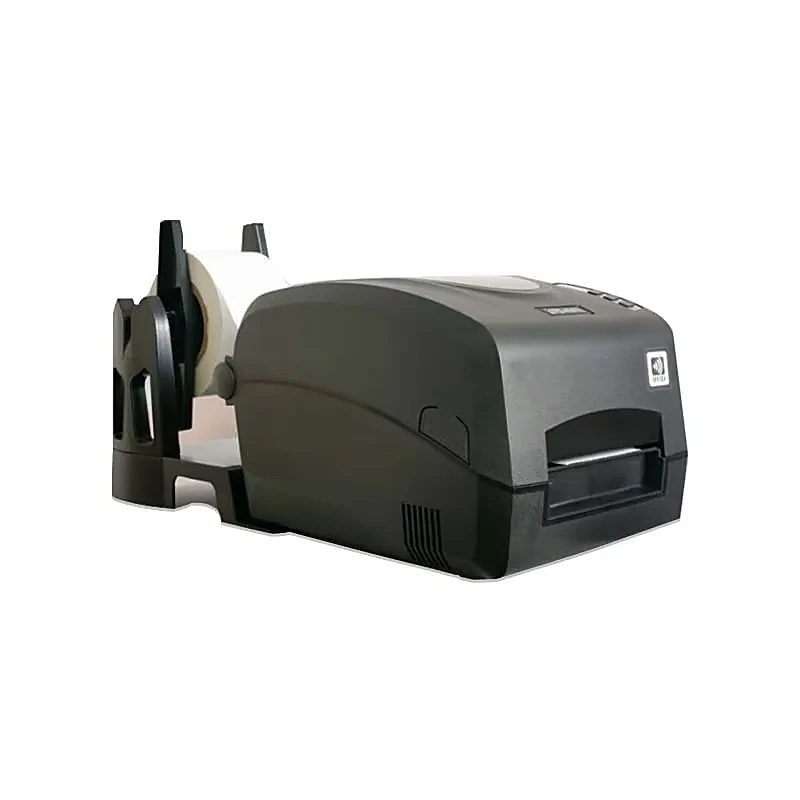
RFID label printer

Receiving and packing stations

Prints, encodes and verifies each label in one pass. 203 or 300 dpi, up to 8 in/s.
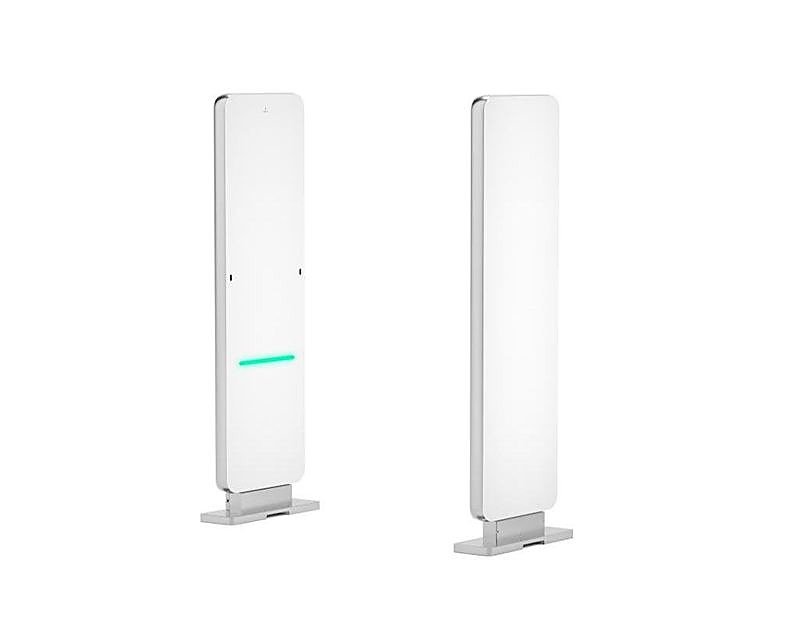
Fixed reader + antennas

Dock doors as a portal, or overhead along aisles and lanes

4-port UHF reader, 0-20 m. Antenna positions come from the site survey.

Outbound scan tunnel

On the conveyor before loading

600+ tags per pass in 3-5 s. Boxes up to 1200×800×800 mm.
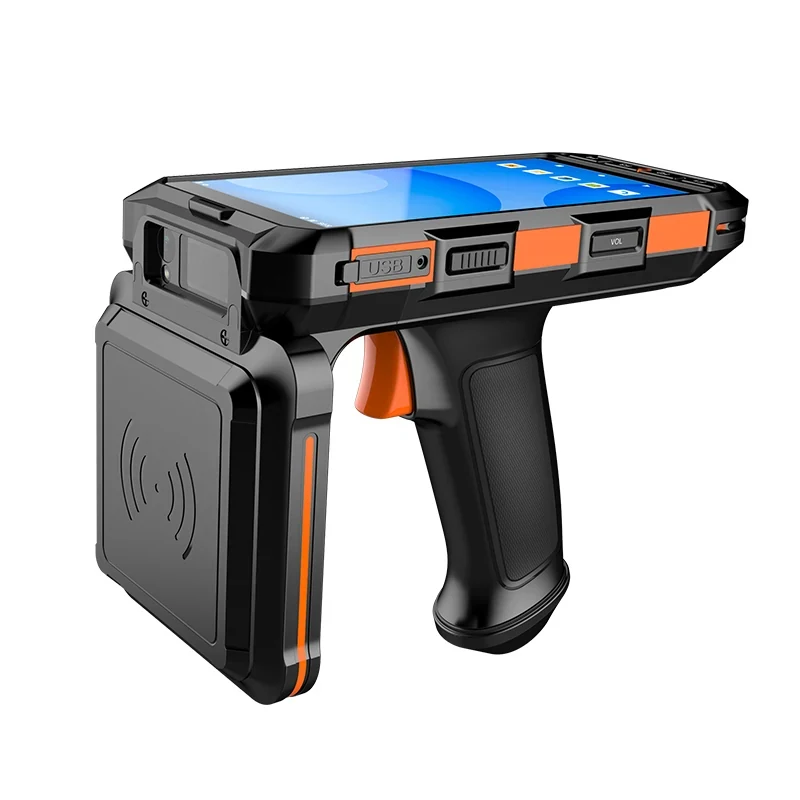
Handheld UHF reader

Aisles: put-away, counting and search

Android 13. Syncs counts and moves to the WMS over Wi-Fi.

Before we quote

Four answers decide the specification

Pick what matches your site. Each answer shows the construction it calls for, and the summary goes to our engineers with your enquiry.

1What will the tag be fixed to?

2Where does it need to be read?

3What is the environment?

4How many tags a year?

Before a volume order

Five checks before you order tags in volume

Each one is cheap to settle on a sample and expensive to fix on a production run.

01Choose the tag level for each product class

Example pallet: 40 cartons × 24 items Pallet level 1 tag Carton level 40 tags Item level 960 tags Bar length on a log scale

What goes wrong

Tagging every item where a carton or pallet read would do multiplies the label order by the number of items in each carton, with no gain at the dock.

Check before you order

  • Item, carton or pallet level for each SKU class
  • Which classes stay on barcode for now
  • Annual tag count per class, worked out from real volumes

02Sign off a sample on your real goods

Signed-off sample chip · inlay · face · adhesive Batch 1 Batch 2 Batch 3 same construction, every order

What goes wrong

A label approved on an empty box makes the first production batch the real test, on live stock.

Check before you order

  • Read rate measured on your packaging, at your read points
  • Chip, inlay, face stock and adhesive written on the sample sign-off
  • The sample part number quoted on every repeat order

03Match the roll to your printer

Wound out · core Ø Pitch Label width Inlay position Feed

What goes wrong

An inlay position, label pitch or winding that does not suit the printer means voided labels, or a roll that will not run at all.

Check before you order

  • Printer make and model, and that it encodes RFID
  • Label width, pitch and gap
  • Inlay position on the label
  • Wound in or out, and core diameter

04Fix the numbering before the first roll

SGTIN-96 example · 96 bits Header Company prefix Serial number 8 6 24 20 38 Filter + partition Product Your GS1 company prefix is written into every tag. Change the scheme later and every tagged item needs a new label.

What goes wrong

Pre-encoded rolls carry the numbering scheme in every tag. Switching from private numbering to GS1 later means new labels for everything already tagged.

Check before you order

  • GS1 (SSCC, SGTIN, GRAI, GIAI) or private numbering
  • Who holds the GS1 company prefix
  • Number ranges per site or customer, and whether EPCs are locked
  • A data file supplied with every pre-encoded order

05Plan label stock against lead time

Labels in stock Lead time Reorder point Safety stock Order Weeks

What goes wrong

Carton and item labels are used up with every shipment. Running out stops RFID at the dock until the next batch arrives.

Check before you order

  • Monthly label use, from dispatch volume
  • Production lead time (typically 2-4 weeks) plus shipping
  • A reorder point and a safety stock
  • Labels stored dry and within the adhesive’s temperature range

Planning and survey

What do you need from us for a site survey?

Most of the design can be done before anyone travels. Send us:

  • A floor plan with dock doors, rack rows and ceiling height marked
  • Photos of each read point: door, aisle, conveyor or packing bench
  • What the tag goes on, including any metal or liquid
  • Peak throughput, for example pallets per hour per door
  • Your WMS or ERP, and whether readers can use your network and power

From that we propose reader positions, antenna counts and tag types, then confirm them with sample reads on your own goods.

How do we plan antenna placement in an existing warehouse?

Start from the read points, not the floor area. A dock door portal usually takes two to four antennas on one four-port reader. Overhead coverage puts ceiling antennas over the aisles and lanes that matter, spaced from the mounting height and the read range you need, rather than covering the whole building. Metal doors, racking and stacked stock reflect and block the signal, so every layout is confirmed with test reads on site before cabling is fixed.

Can we pilot one door or one aisle first?

Yes, and we recommend it. A typical pilot is one dock door plus one aisle, run on live goods for two to four weeks. Measure the read rate on real pallets and cartons, the stray reads, and how exceptions reach your team. Tag samples are tested on your packaging before the pilot starts, so the pilot tests the process, not the tag.

Installation

How long does installation take, from survey to go-live?

Installing a two-door dock portal takes two to three days on site, and fitting out a whole building one to three weeks. The project as a whole takes longer: from survey to go-live, dock doors plus handheld counting usually take six to eight weeks, and a whole site with WMS integration and existing stock tagged takes three to four months. The WMS integration and the amount of stock already in the building move the date most. The rollout steps on this page show what happens in each stage.

What power and cabling do fixed readers need?

Each fixed reader needs a network connection and power, either PoE from the switch or a local DC supply, depending on the reader. Antennas connect to the reader with coaxial cable. Keep those runs short, because every metre of cable costs read range, and use low-loss cable where a long run cannot be avoided. Mount readers where they can be reached for service, not above the racking.

Where should the tag go on a pallet or carton?

Placement matters as much as the tag itself:

  • Use the same position on every item, facing the read point
  • On pallets, tag two adjacent sides so orientation at the door does not matter
  • Keep labels off metal foil, seams and folds, and away from liquid contents
  • Apply adhesive labels at room temperature and let them bond before the item goes into cold storage

We mark up a placement guide for your packaging during sampling.

Can readers and tags handle a freezer aisle or an outdoor dock?

Yes, with the right parts. Check each reader's operating temperature against the space: where the freezer is colder than the rating, mount the reader outside the cold zone and run the antennas in. Freezer labels need a cold-rated adhesive applied before the item goes cold. Outdoor docks need IP65 or better readers and UV-stable tags; the rivet pallet tag is IP68 and rated -40 to +105 °C. Cable connectors are the most common failure point in these areas, so seal them.

Configuration and integration

How do we stop one dock door reading pallets at the next door?

Cross-reads are a tuning job, not a hardware fault. In order of effort:

  • Lower transmit power per antenna until only the door lane reads
  • Angle the antennas into the lane and away from the neighbouring door
  • Add a presence sensor or photo-eye so the reader only reports while a load is moving through
  • Filter by signal strength (RSSI), and use two antennas to tell direction
  • Fit RF absorber or metal shielding between doors that are very close together

Pallets staged next to the door cause the same problem, so move staging lanes back from the read zone.

Who assigns the EPC numbers, and how are tags encoded?

Most warehouses use GS1 encodings: SGTIN-96 for items and cases, SSCC-96 for pallets, GRAI for returnable containers and GIAI for fixed assets and locations. You can encode at your own RFID printer as labels print, or we can pre-encode and print serials at the factory and send the number list with the shipment. Lock the EPC memory after encoding if tags must not be rewritten in the field.

How does RFID data reach our WMS or ERP?

Readers report tag events: which tag, which antenna, and when. A middleware layer removes duplicate reads, applies your business rules (this pallet crossed door 3 inbound) and sends the resulting transaction to the WMS through its API, a file drop or a database interface. You do not need to replace the WMS. We document the event format and help map the first transactions; the WMS side is usually handled by your IT team or integrator.

Troubleshooting and upkeep

Tags are missing reads in one zone. What do we check first?

Work from the tag outward:

  • Read the missing tag on its own with a handheld. If it will not read up close, the tag is damaged or detuned
  • Check what it sits on. Metal or liquid behind a standard label needs an on-metal or stand-off tag
  • Check its orientation to the antenna, and whether other cartons or product shadow it
  • Check the reader: antenna on the right port, cable and connectors undamaged, power as commissioned
  • Check for other readers nearby working on the same channels

Most zone problems end with an antenna moved or a different tag type, not new hardware.

Why do we get reads from items that are not moving?

These are stray reads, usually from signal reflecting off metal doors, racking or trucks, or from stock parked inside the read zone. Reduce power, re-angle the antennas, trigger reads with a presence sensor, and set a signal-strength threshold in the middleware. Keep a clear lane of a few metres in front of each portal.

What maintenance does the system need after go-live?

Passive UHF tags have no battery, so a tag in service needs no maintenance; replace any that are physically damaged. Fixed readers need firmware updates when released and a yearly check of antenna connectors and brackets. Set the middleware to alert when a reader stops reporting, so a dead reader is found in minutes rather than at the next count. Handheld readers need battery replacement like any mobile device.

Build a matched pilot

Send the item, environment, read point and annual volume.

We will narrow the construction and sample set around your real operating conditions.

Stay Updated on RFID Industry Trends

Get the latest news, case studies, and product updates from FYRFID delivered to your inbox. No spam — unsubscribe any time.

Thanks for subscribing — we’ll be in touch.