Before you order either piece
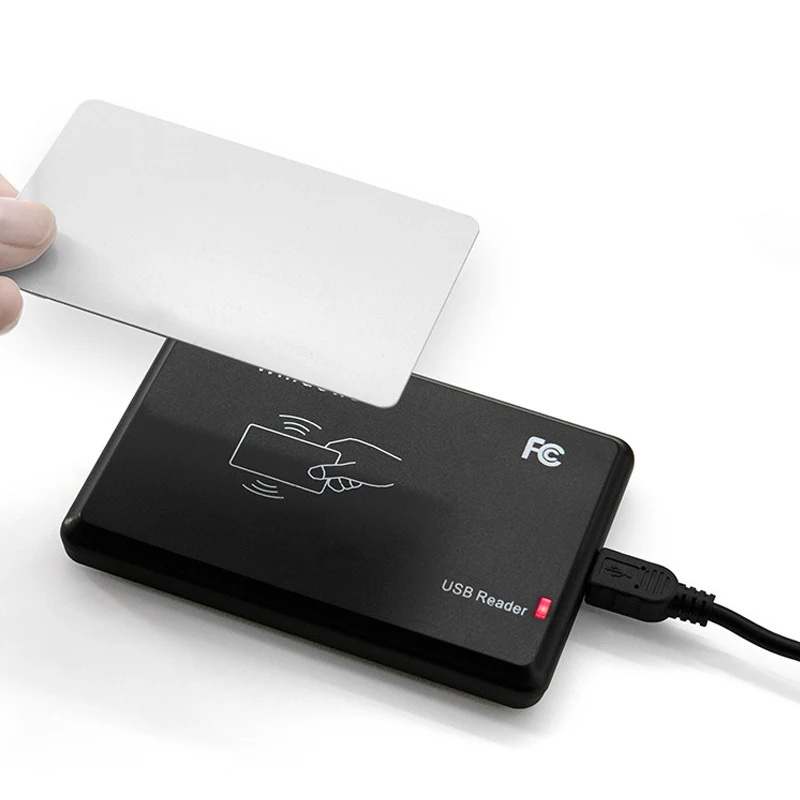
Confirm the enrollment reader and the gate reader run the same frequency and chip family before ordering both. Our own desktop enrollment reader (FY-RD-CHIP-006) runs 13.56MHz/125kHz proximity, while our UHF access gate (FY-TG-CHIP-008) runs 902-928MHz/865-868MHz. A badge encoded on one won't necessarily be readable by the other. This isn't a defect in either product, it's two different real technologies that both happen to be called "RFID."
Two Real Stages, Two Real Jobs
Enrollment is where a physical card becomes a specific person's credential. A new employee or visitor is handed a blank or reusable proximity card, and a staff member taps it against a desktop reader connected to the access-control software. Our desktop enrollment reader reads a card in under 200ms, supports common proximity chips like S50/S70, and connects over USB to Windows, Linux or Android software. The reader's whole job ends the moment the software links that card's unique ID to the employee's profile, it never has to open a door itself.
The gate is where that credential gets checked and acted on, every single day, by every person who walks through. Our UHF access gate reads at 1-4m, in either active or passive mode, and is sold and installed as a pair, a main gate and a secondary gate on either side of the walkway. The gap between the two pedestals is where the anti-tailgating detection actually happens: if one valid badge read is immediately followed by a second person passing through without their own read, the gate's two-way audio and alarm function flags it instead of silently letting both people through.
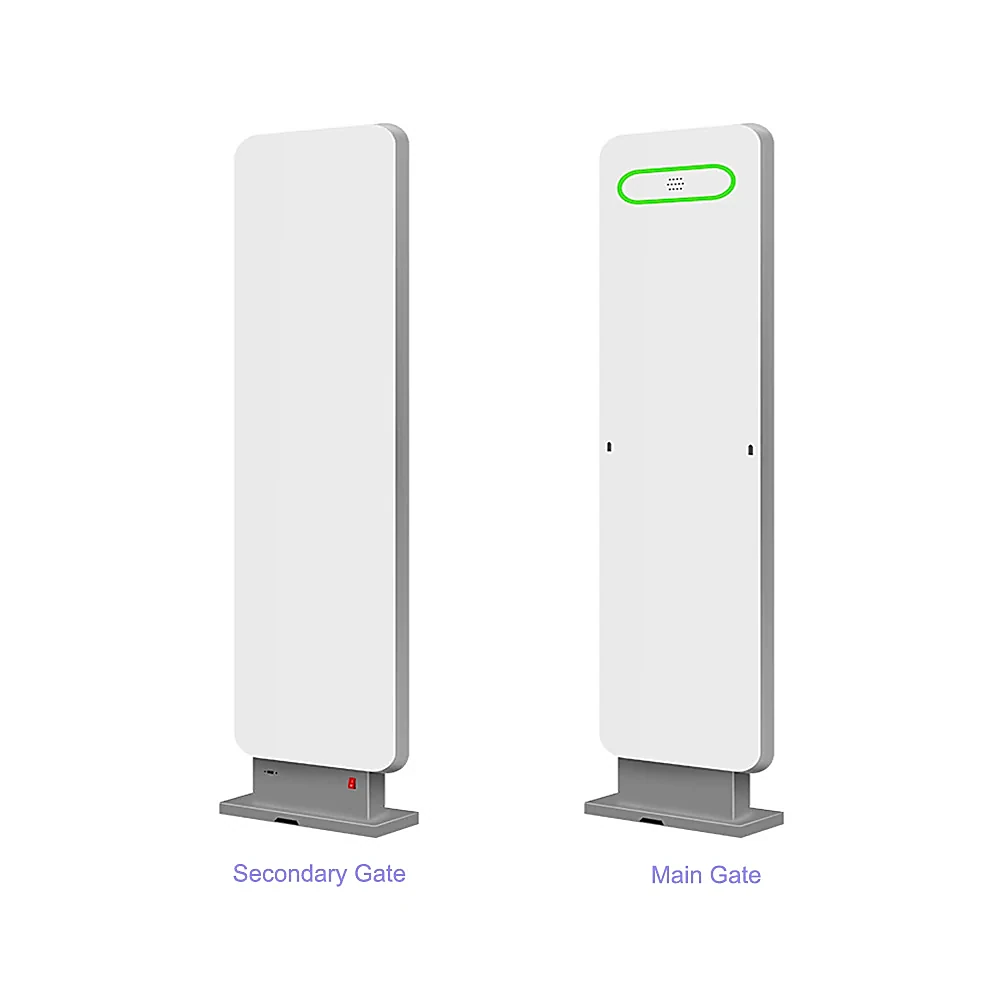
The Frequency Gap That Actually Breaks Deployments
This is the mismatch that catches real projects out: the enrollment reader and the gate reader in our own catalogue run on entirely different frequency bands. The desktop enrollment reader operates at 13.56MHz and 125kHz, the same proximity range used for door locks and time-and-attendance readers. The access gate operates at UHF, 902-928MHz in the US and 865-868MHz in the EU, built for the 1-4m range a walkway gate actually needs. A card encoded with an HF or LF chip at the enrollment desk will not be read by a UHF gate, and a UHF card presented to an HF enrollment reader won't enroll either. These aren't a firmware setting apart, they're different radio technologies.
The fix isn't complicated, but it has to happen before either piece is ordered, not after installation. Either specify a UHF-compatible enrollment station matched to the gate's frequency, or specify a dual-frequency credential that carries both an HF chip for close-range systems and a UHF chip for the gate. Our own product listing for the access gate explicitly notes that reader and encoding-station compatibility is application-dependent, this isn't a hidden gotcha, it's stated plainly, but it's easy to miss when the two pieces are sourced independently weeks apart.
| Enrollment reader | Access gate | |
|---|---|---|
| SKU | FY-RD-CHIP-006 | FY-TG-CHIP-008 |
| Frequency | 13.56MHz / 125kHz | 902-928MHz (US) / 865-868MHz (EU) |
| Read range | 0-100mm | 1-4m |
| Role in the workflow | Encodes and links a card to a person, once | Checks and acts on the credential, every daily pass |
| Housing | ABS desktop unit, USB | Zinc alloy pedestal pair, DC 220V |
| Real risk if unmatched | Cards get enrolled and linked in software | Enrolled card simply won't open the gate |
What Actually Goes Wrong When These Are Sourced Separately
- Enrollment reader and gate ordered from different quotes or vendors, weeks apart, without confirming they share a frequency and chip family.
- A badge that enrolls successfully in software but doesn't open the gate, mistaken for a software bug rather than a hardware frequency mismatch.
- Anti-tailgating detection assumed to be a software feature, when it actually depends on the physical gap and paired-gate sensing hardware being installed correctly.
- Output power and read range left at default settings rather than tuned to the actual walkway width and foot-traffic pattern.
- No end-to-end test, a real card enrolled at the desk and walked through the actual installed gate, before rolling out badges to the full staff.
Before You Place a Production Order
- Confirm the enrollment reader and the gate reader share the same frequency and chip family, or specify a dual-frequency credential that bridges both.
- Confirm the gate's output power and read range against your actual walkway width, not the maximum spec-sheet number.
- Confirm your access-control software supports the specific reader interfaces (Wiegand, RS232, RS485 or TCP/IP) both pieces of hardware use.
- Confirm anti-tailgating response, alarm only, audio prompt, or a physical block, matches what your security policy actually requires.
- Test the full chain, a real card enrolled at the desk and walked through the installed gate, before issuing badges to your full staff or student population.
The credential itself, contact, contactless or dual-interface, is a separate decision from the reader hardware covered here. Confirm both before ordering.