Before you order
A portal is an assembly, not a single SKU: one fixed reader, two to eight antennas mounted around the doorway, and tags on the goods. Before you request a quote, know your door width, how many lanes need separate reads, and whether pallets move on a forklift or a conveyor. Those three answers decide the reader and antenna count more than anything else on a spec sheet.
What a Portal Actually Is
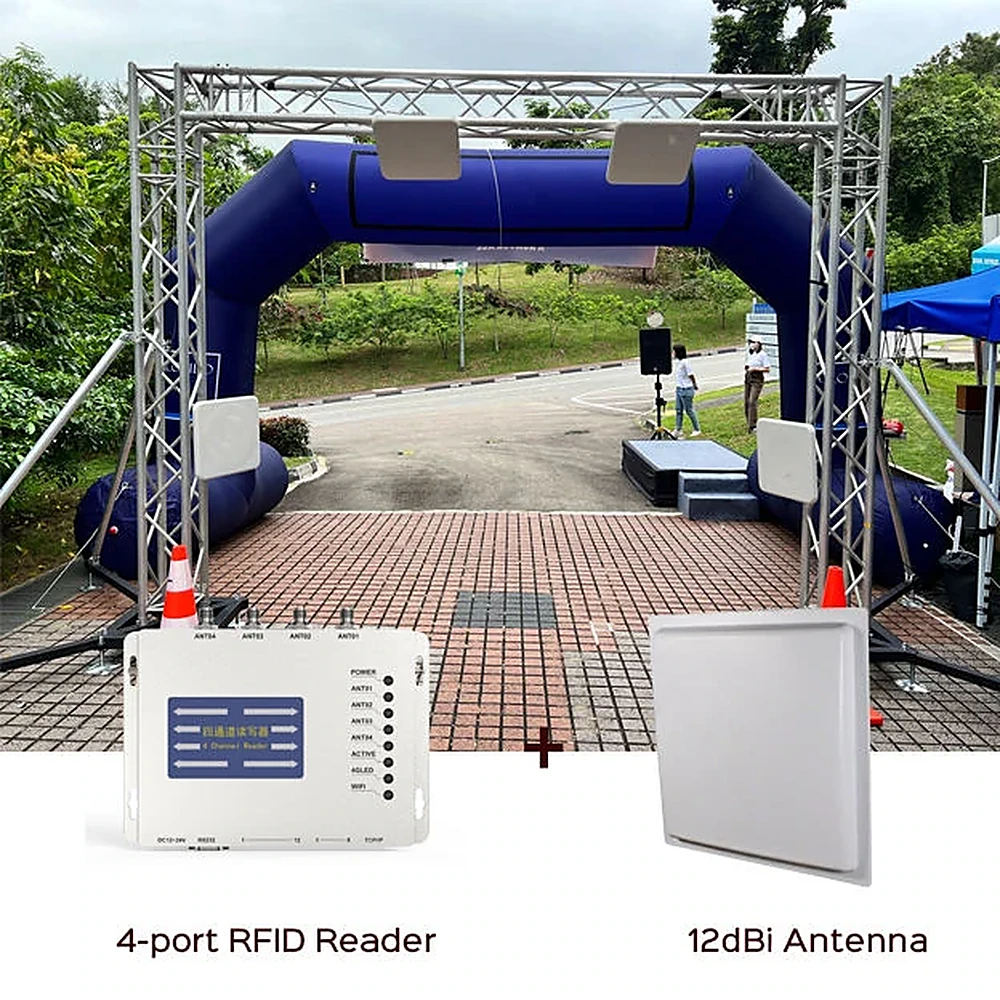
A portal is the fixed-reader deployment built around a doorway, dock door or conveyor line, where product passes through a defined read zone rather than being read one item at a time by hand. The hardware behind it is a multi-port fixed reader connected to several panel antennas positioned on both sides (and sometimes overhead) of the opening, running continuously so nothing has to be scanned individually.
The reader itself only ever has one job: talk to whichever antennas are plugged into it. Our own FY-RD-CHIP-001 fixed reader has 4 TNC antenna ports and a 0-20m read range on ISO18000-6C/EPC Gen2 tags, running the TM200 chip standard or an Impinj E710 option, in an aluminium alloy body with RS232 and TCP/IP connectivity. For wider doors or multiple lanes, our FY-RD-CHIP-017 steps up to 8 or 16 antenna ports in a metal housing with OEM/ODM customisation.
Why It Takes More Than One Antenna
A single antenna covers a cone-shaped field, not a flat wall of coverage across a doorway. A pallet moving through a standard dock door width typically needs antennas on both sides, angled inward, so a tag facing away from one antenna is still caught by the other. A frequent reason a first installation under-reads is one antenna covering a door wide enough to need two.
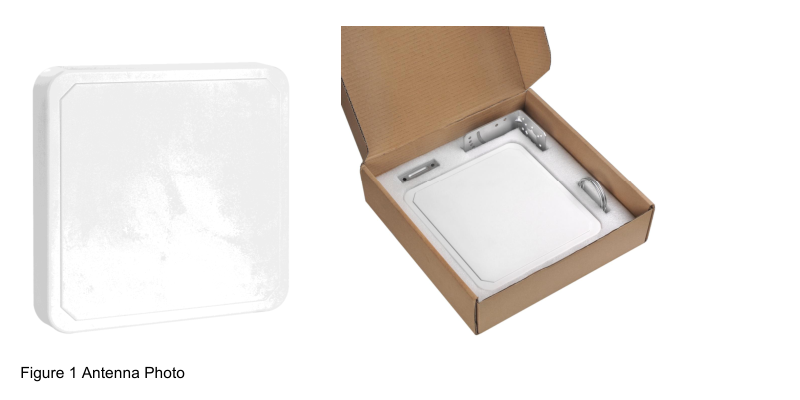
Our FY-T0258 panel antenna runs >9 dBi gain with VSWR ≤ 1.3:1 at 902-928MHz, in an IP67-rated, dual-waterproofed ASA plastic and aluminium housing rated for -40°C to +85°C, so it holds up on an outdoor dock in both summer heat and winter cold. It uses cross linear polarization, a design that combines the long read range of a linear antenna with the reduced orientation sensitivity of a circular one, which is exactly the trade-off a portal needs: pallets pass through at unpredictable angles, so the antenna cannot assume a tag will ever face it squarely.
Mounting the Antenna: What Installation Actually Involves
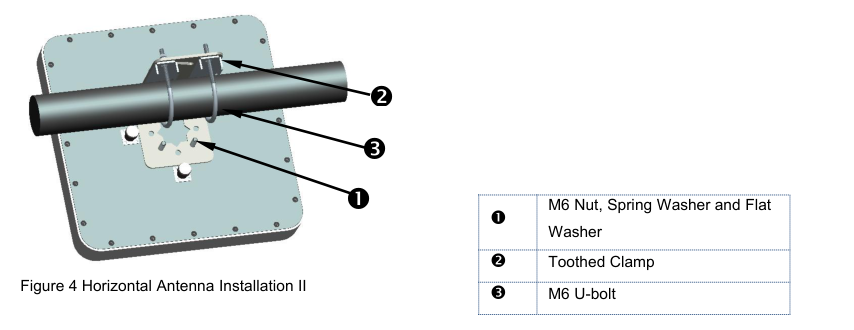
The antenna bolts to an L-shaped mounting bracket first, using M6 nuts, flat washers and spring washers, and that bracket is what actually attaches to the site: a steel frame or support pole, secured with an M6 U-bolt and a toothed clamp that grips round or square section steel. The same bracket works for horizontal or vertical mounting; which way it goes on decides the antenna's orientation, and the tilt angle can still be adjusted afterward once it's up, to fine-tune coverage against the real doorway rather than a plan drawing.
One site-selection detail worth checking before mounting anything: this antenna is not rated for acidic or alkaline environments, which rules out mounting it directly inside a chemical storage or battery-charging area without protection. For a standard dock door or warehouse doorway this is rarely an issue, but it is worth confirming for anything installed near a process area rather than a plain loading bay.
| FY-RD-CHIP-001 (4-port) | FY-RD-CHIP-017 (8/16-port) | |
|---|---|---|
| Read range | 0-20m | Up to 10m realistic reading range |
| Typical setup | Single dock door, 2-4 antennas covering both sides | Multiple lanes or a wider opening needing more coverage zones |
| Chip | TM200 standard, Impinj E710 optional | TM200 |
| Housing | Aluminium alloy | Metal, OEM/ODM customisable |
| Connectivity | RS232, TCP/IP | RS232, TCP/IP (WiFi customised) |
The Cable Run Nobody Budgets For
Every metre of cable between the reader and an antenna loses some signal power before the antenna even transmits. A portal designed on paper with the reader in a server cabinet 15 metres from the door, and thin cable chosen to save cost, can read noticeably worse than the same hardware installed with a short, low-loss run. Confirm the actual cable length and grade before finalising antenna count, not after installation reveals a weak zone.
What Actually Gets Missed on a First Install
- One antenna covering a door wide enough to need two, leaving a blind edge that reads pallets inconsistently depending on which side they pass.
- Antennas mounted flat against the door frame instead of angled inward toward the read zone, cutting effective range.
- Long, thin cable runs chosen for cost that quietly reduce the power actually reaching the antenna.
- Tags mounted flat against a metal pallet cage or steel container edge without an on-metal construction, which detunes a standard UHF tag regardless of how good the portal itself is.
- No test pass with real product at real stacking height before going live. A portal tuned on an empty pallet does not automatically perform the same on a fully loaded one.
Before You Place a Production Order
- Measure the actual door width and decide how many lanes or coverage zones need independent reads.
- Confirm whether goods move by forklift, conveyor or hand-cart. Conveyor lines usually want a different antenna angle than a dock door.
- Confirm the cable run length from where the reader will sit to each antenna position.
- Confirm the tags already on (or planned for) the goods are UHF, ISO18000-6C/EPC Gen2, and, if the load includes metal pallets or cages, on-metal construction where needed.
- Run a test pass with real, fully loaded product before committing to the final antenna count and placement.
A portal is only as good as the tags passing through it. This covers the UHF inlay formats a portal needs to read reliably.